Brand Showcase: How an Artisan Food Brand Turns Sketches into Stunning Product Shots
Koji's founder sketches product ideas on paper. ImageLayer turns those rough drawings into polished, brand-aligned food photography.
Maya runs Koji, a small-batch fermented foods company. Koji sauces, umami pastes, fermented chili oils — everything handcrafted in a commercial kitchen in Portland.
Her products look incredible in person. Amber jars with terracotta labels, surrounded by fresh ginger, whole spices, and herbs. The problem is capturing that in photos. Maya isn’t a food photographer. She takes product shots on her iPhone, struggles with lighting, and ends up with images that don’t do the product justice.
She posts to Instagram three times a week. Sends a monthly email newsletter. Updates her Shopify store with seasonal product photos. Every single one of those images needs to look like Koji — warm, artisan, handcrafted. Not like a phone snapshot taken on a kitchen counter.
This is how Maya uses ImageLayer’s sketch-to-image mode to turn rough ideas into polished brand photography.
Koji’s brand identity
Maya configured her brand kit to capture the essence of her products:
Style description: “Warm, artisan, handcrafted aesthetic. Think farmers market meets food magazine. Rustic wooden surfaces, linen textures, warm golden-hour lighting. Ingredients scattered naturally, not arranged too perfectly — it should feel authentic, not sterile.”
Color palette:
- Warm Terracotta
#C2704E— primary (matches the jar labels) - Deep Burgundy
#6B2D3E— accent (lid color, rich contrast) - Off-White
#F5F0EB— backgrounds and linens - Soft Gold
#C9A96E— highlights and warm tones
Tone keywords: Authentic, Passionate, Unpretentious, Sensory, Handcrafted
Avoid list: Sterile/clinical looks, neon colors, overly digital aesthetics, perfectly symmetrical arrangements, stock photo style
From sketch to product shot
Maya has an idea for how she wants to photograph her new chili crisp sauce. She has two options for sketching it out.
Option A: Quick widget sketch. She opens the sketch canvas in the ImageLayer widget and draws with her mouse — a wobbly circle for the plate, a rectangle for the cutting board, small circles for spice bowls. No artistic skill needed.
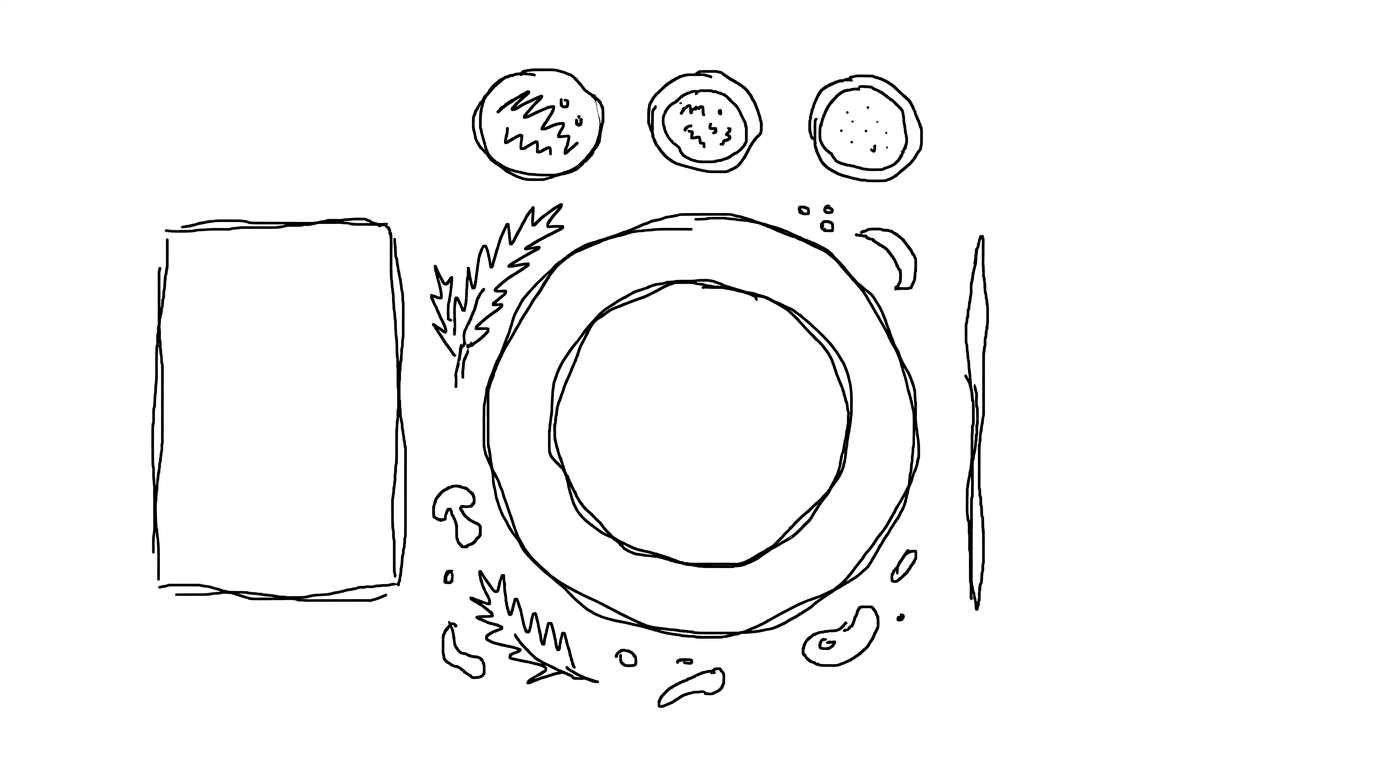
Option B: Pen-on-paper sketch. She grabs a pen and draws a more detailed composition on paper — a top-down flat lay with the sauce jar in the center, a cutting board to the left, small bowls of spices around the edges, herbs scattered across the frame. Then she photographs it and uploads.
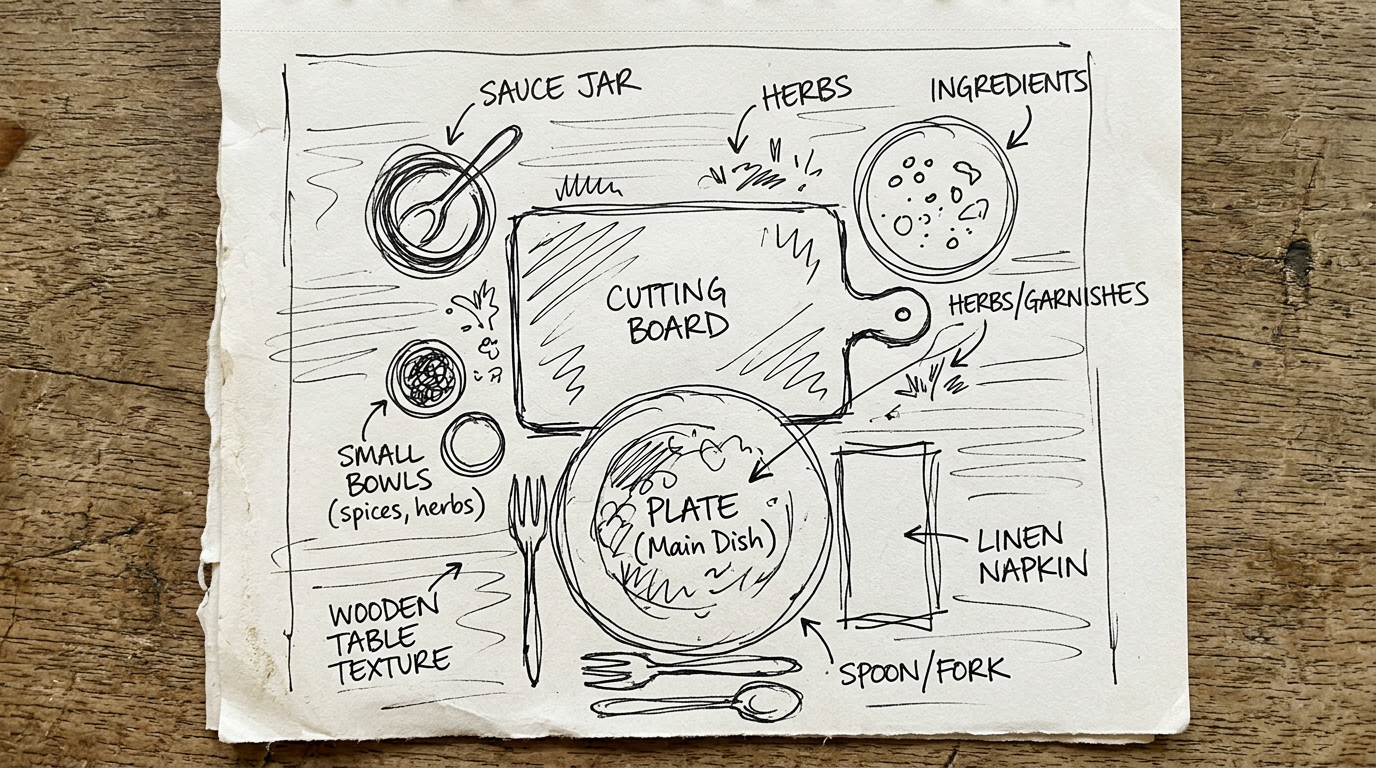
Both work. The widget canvas is faster for quick concepts. A paper sketch gives more detail for the AI to work with. Either way, Maya uploads the sketch to ImageLayer in sketch-to-image mode. The AI interprets the composition, applies Koji’s brand guidelines, and generates a polished result.
Result from the simple widget sketch:
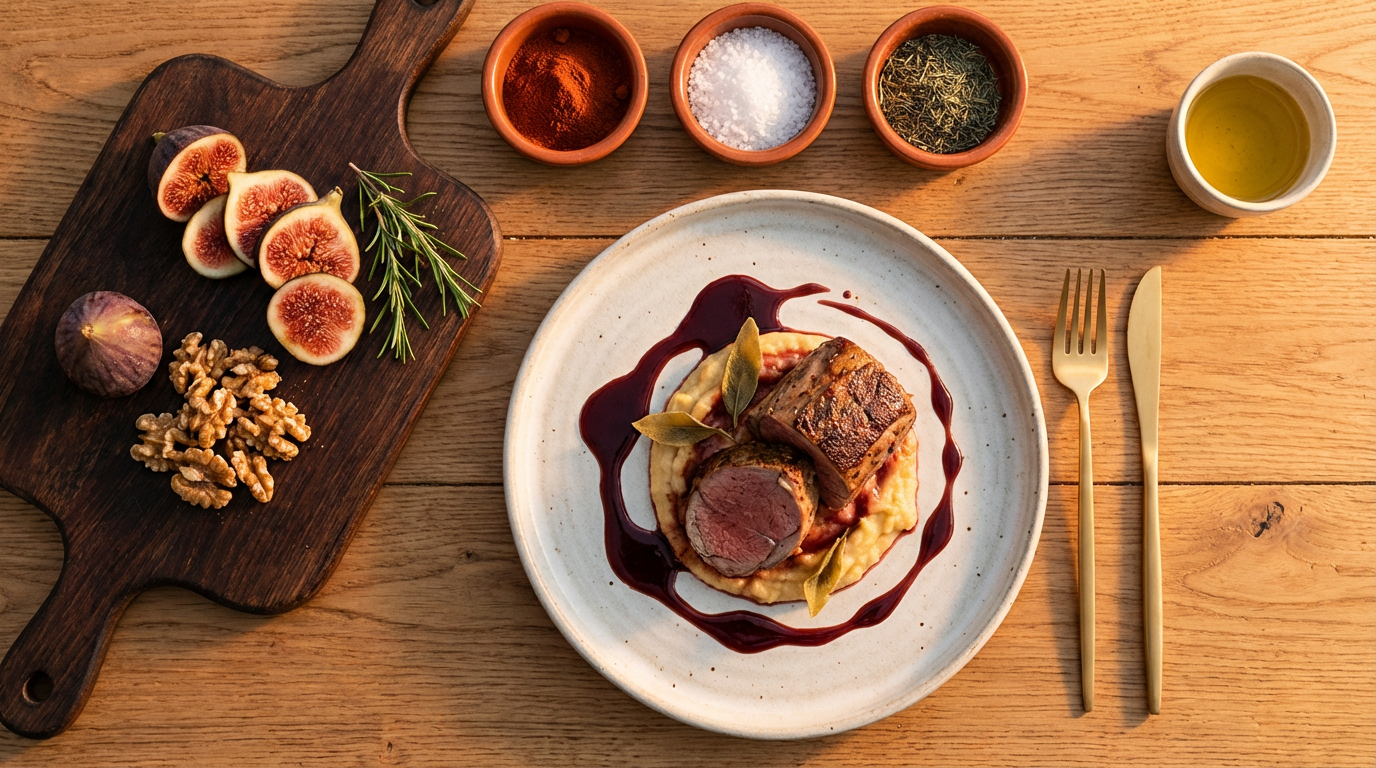
Even from a crude mouse drawing, the AI picked up the composition: plate in center, cutting board to the left, small bowls along the top. It filled in the Koji brand details — warm wood, terracotta tones, golden lighting, artisan plating.
Result from the detailed paper sketch:
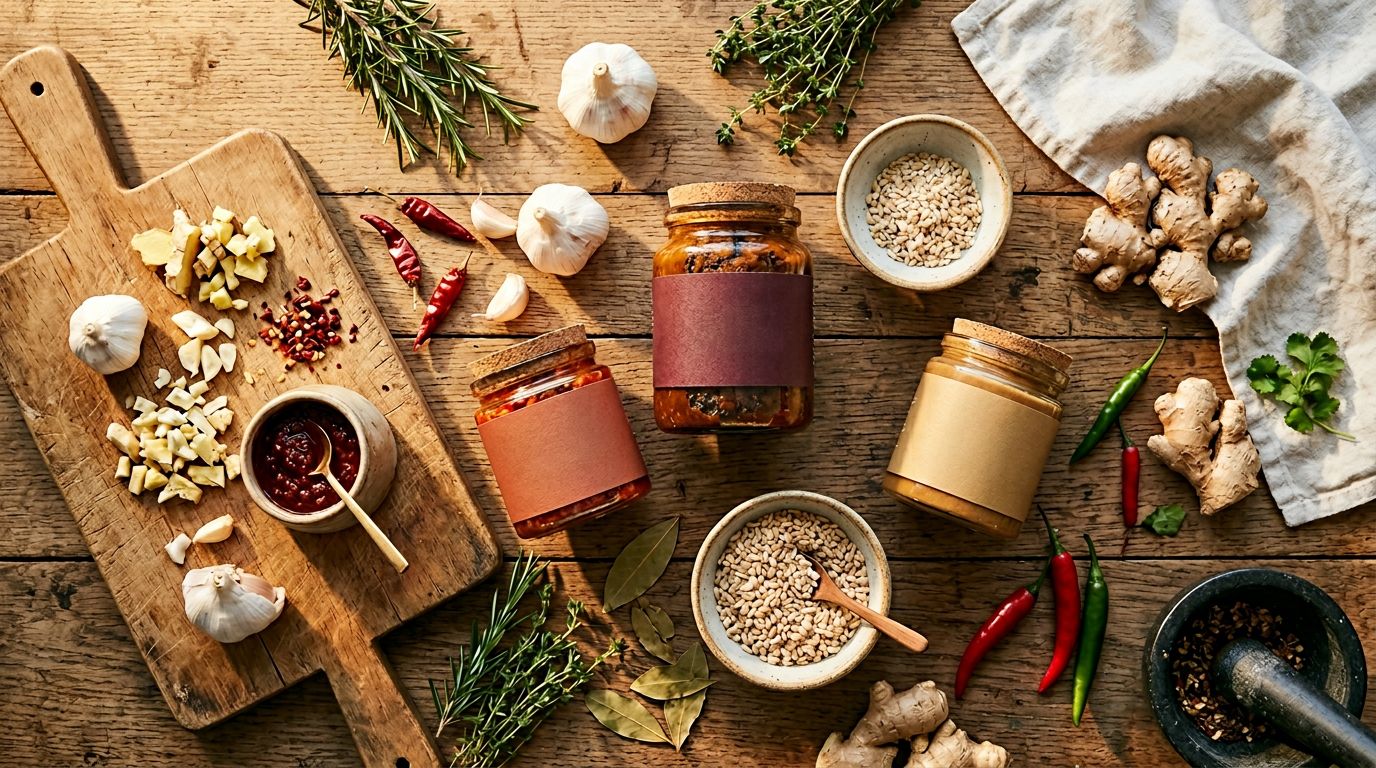
The more detailed sketch gave the AI more to work with — specific jar shapes, herbs, multiple ingredients. The output is richer and more complex. But both results are on-brand, both are usable, and both took under a minute.
The takeaway: you don’t need drawing skills. A few circles and rectangles on the widget canvas are enough for the AI to build a polished composition in your brand style.
One image, three platforms
Maya needs this image for Instagram, but she also wants to use a version in her email newsletter. Different platforms need different formats and compositions.
Instagram Post (1080x1080, square):
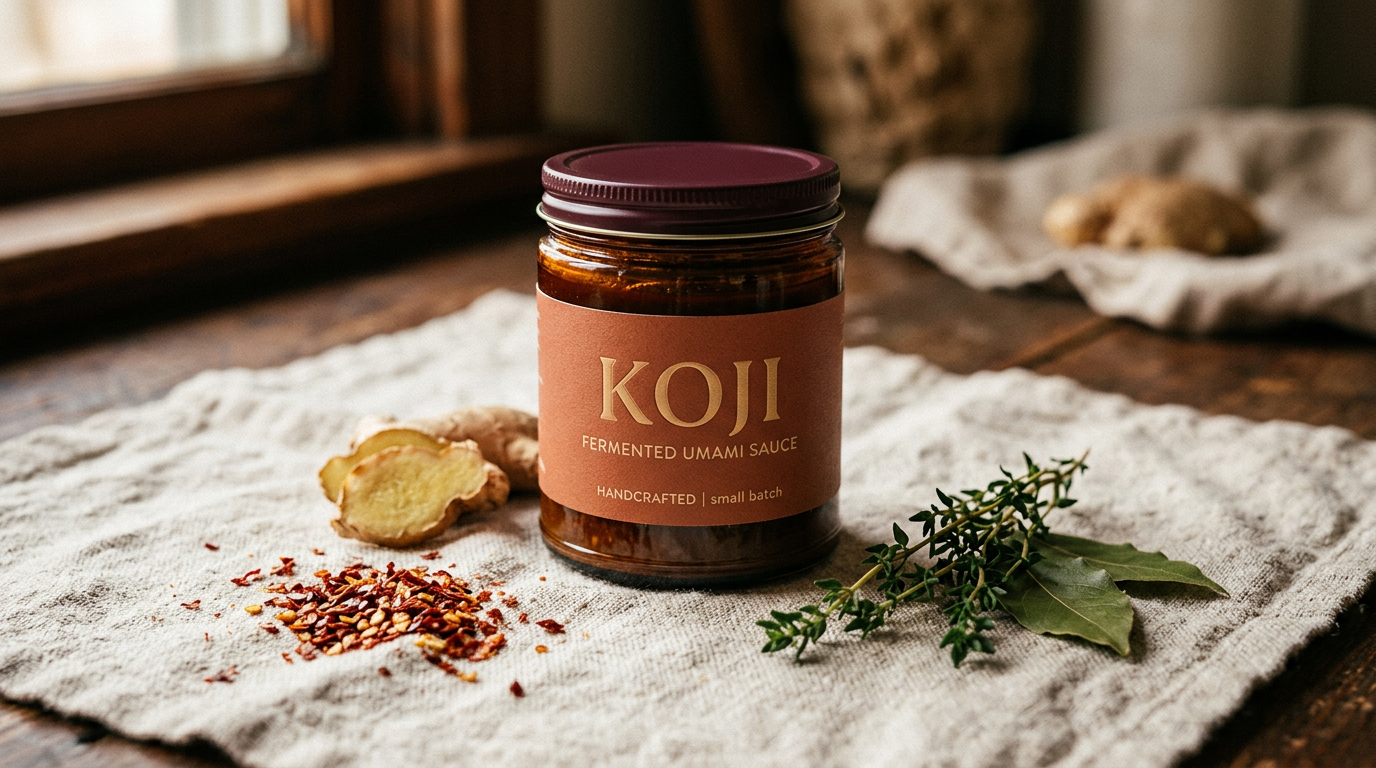
The square crop focuses on the hero product — a single jar with a few carefully chosen elements around it. The composition is tighter, optimized for how people scroll Instagram on their phones.
Email Banner (600x200, wide panoramic):
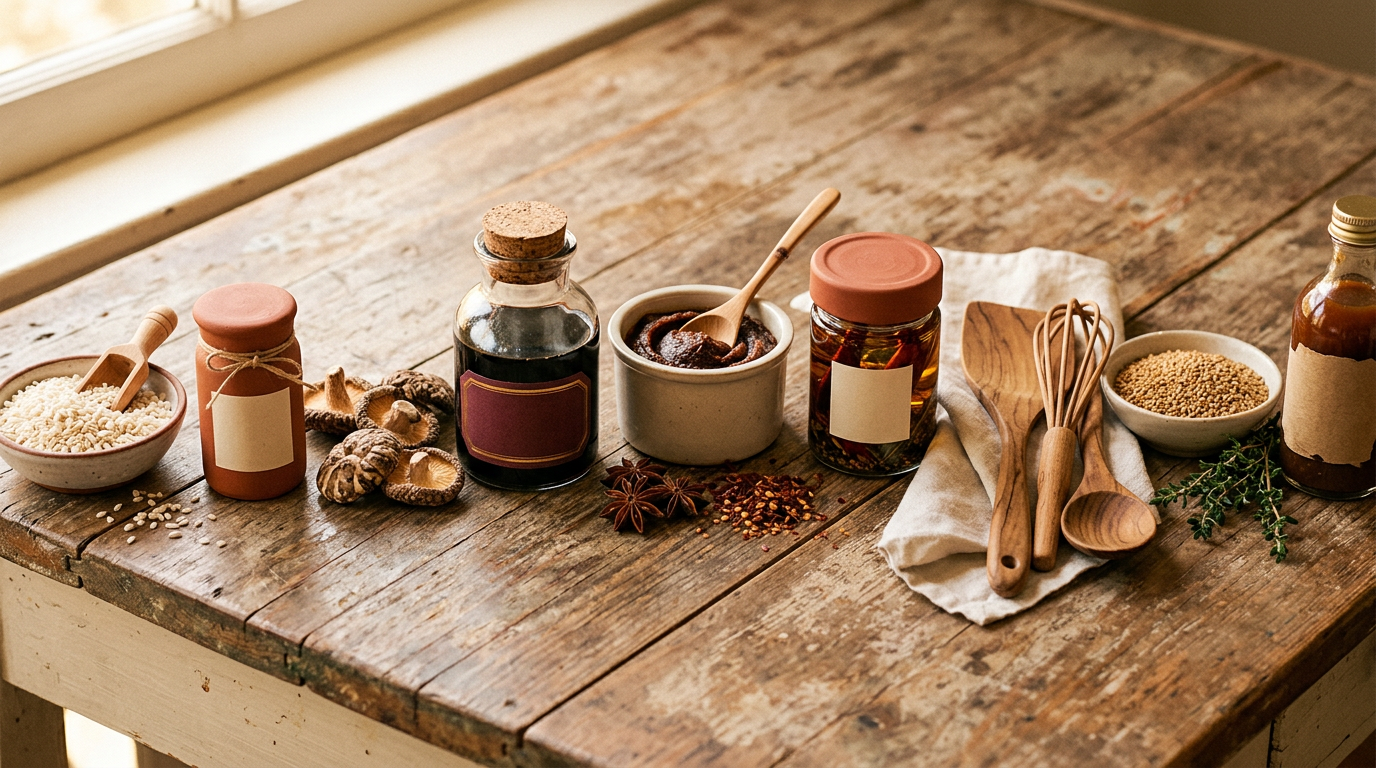
Same brand, same feel, completely different composition. The panoramic format spreads the elements horizontally — jars, spices, and utensils flowing across the banner. This wasn’t a manual crop of the original image. The AI regenerated the scene with a composition designed for the wide email format.
That’s the difference between cropping (which cuts off important elements) and preset-aware generation (which recomposes for the format).
What this replaces
Before ImageLayer, Maya’s workflow for a single Instagram post was:
- Set up a photo shoot at the kitchen (30 minutes)
- Take 50+ photos with varying angles and lighting (20 minutes)
- Pick the best one, edit in Lightroom (15 minutes)
- Resize for Instagram and email separately (10 minutes)
Total: about 75 minutes per visual.
Now:
- Sketch the idea (1 minute)
- Upload to ImageLayer, generate (30 seconds)
- Download Instagram and email versions (10 seconds)
Total: under 2 minutes.
Maya still does real photography for her Shopify product pages — nothing replaces actual product photos for e-commerce. But for social content, email headers, and promotional visuals, the sketch-to-image workflow gives her food-magazine-quality results without hiring a photographer or spending an afternoon at the studio.
Try sketch-to-image
Got a visual idea in your head? Sketch it on paper, a whiteboard, or a tablet. Sign up free, switch to sketch mode, and upload it. The AI handles the rest — in your brand’s style, at any platform’s dimensions.