Your competitors are already shipping AI features
AI is in every product around you. Your users expect it. Every month you wait is a month your competitors pull ahead.
Give your users images, video, voiceovers, and copy in one embedded workflow. Ship faster than building it yourself, keep the experience inside your app, and skip months of AI infrastructure work.
Works with React · Vue · Next.js · Angular · Svelte · plain HTML
<!-- Images, video, audio, text — one tag. -->
<image-layer
  api-key="il_live_..."
  api-url="https://api.imagelayer.app"
/>Your users already expect AI features. Here's what stops most teams from shipping them fast.
AI is in every product around you. Your users expect it. Every month you wait is a month your competitors pull ahead.
Model selection, API integration, rate limiting, billing, brand controls — the real cost isn't the API call, it's the engineering time to make it production-ready.
When users leave your product for ChatGPT or Canva, you lose engagement, you lose context, and the output doesn't match your brand.
ImageLayer handles the infrastructure, guardrails, and delivery — so your team can ship the feature.
One widget. Images, video, voice, text. Your brand, your rules.
Your users describe what they need. The widget returns a polished, on-brand visual — right inside your product.
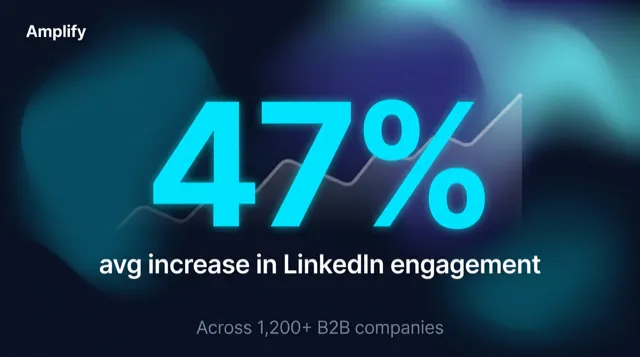
Stat highlight
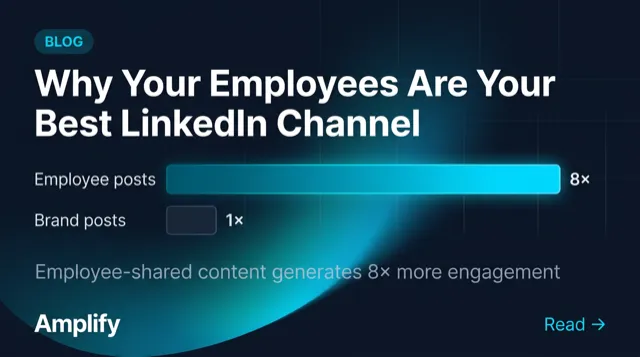
Blog promo
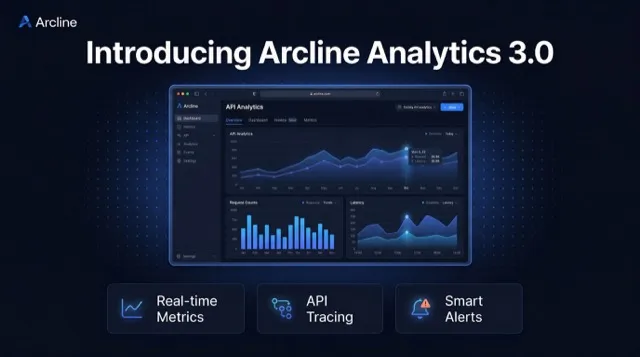
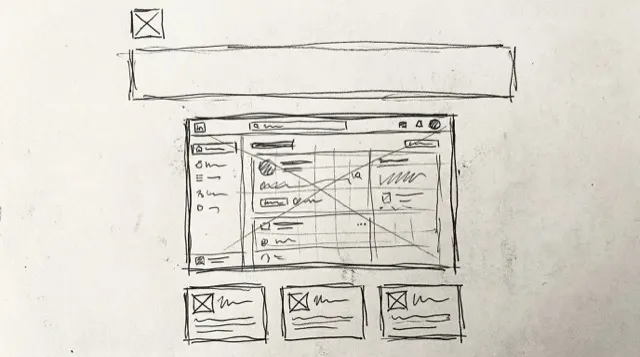
Users upload a rough sketch or wireframe. Get a brand-aligned result — without leaving your app.
Captions, product descriptions, social copy — generated alongside your visuals or on their own. Same prompt pipeline, same brand rules.
Launch the new serum with a calm, premium tone for Instagram and PDP copy.
Golden-hour glow. Solene serum, soft rose finish, ready for your morning ritual.
Lightweight hydration with a refined botanical finish and a clean editorial feel.
Cinematic product demos, social teasers, brand intros — generated from text in under two minutes. Powered by Veo 3.1 on Vertex AI.
Read the guide
Professional narrations, product voiceovers, and audio ads — eight distinct voices, two quality tiers. Pair with video for narrated content.
Read the guide“Meet Prism — the smart lamp that shifts from warm focus to evening calm.”
Generate podcast intros, two-host discussions, and interview segments. Automatic voice pairing creates natural multi-speaker audio.
Read the guideAI video is not replacing a crew. It is collapsing the time to first usable draft.
Exactly. A small team can turn one script into a polished two-voice segment in minutes.
Stat highlights, quote cards, blog promos, announcements — users pick a template, fill in the fields, and generate. No prompt engineering needed.
LinkedIn, Instagram, X, blog headers, email banners — one click sets the right dimensions and optimizes the composition for each channel.
Define your style, colors, and tone. The AI follows your brand from the first draft — not just with your logo added at the end.
Read the guideTrack who generates what, monitor credits across users, and manage costs from one dashboard.
A native Web Component that drops into any codebase. React, Vue, Next.js, Angular, Svelte, Astro — or just vanilla HTML. No wrappers, no framework lock-in.
No AI infrastructure. No tool sprawl. Just results.
Upload your logo, pick your colors, and define the style and tone you want the AI to follow. One setup, every workflow stays on-brand.
Drop one <image-layer> tag into your app. It's a native Web Component — one integration for images, video, voice, and text.
Users pick the workflow they need, add a prompt or structured inputs, and generate on-brand images, videos, voiceovers, or copy without leaving your product.
This is exactly what your users see after you embed ImageLayer. Try a limited live image demo powered by the same hosted pipeline.
The public demo is intentionally limited so you can sample the experience without configuring anything.
Want more control? Open the playground preview
ImageLayer belongs inside the workflow where people draft, review, and publish content, not in a separate AI tab.
Before
After
Users draft once, then generate the matching visual, teaser clip, and caption inside the same campaign workflow.
Before
After
Merchants turn product context into PDP imagery, demo clips, and product copy without sending teams to separate creative tools.
Before
After
Employees fill a structured brief and get announcements, recruiting visuals, and explainers that already match the company brand system.
Before
After
Creators generate covers, promo snippets, voice intros, and quote cards inside the dashboard they already use to publish.
Before
After
A single product brief becomes a short demo video, merged voiceover, stills, and launch copy in the workflow your users already trust.
No credit card required. Start with image workflows, then expand into video, voice, and text as your product grows.
Try the widget in your product. No commitment, no credit card.
For teams adding image, video, voice, and text workflows without building AI infrastructure.
For growing teams that need richer media workflows, multiple brand kits, and usage visibility.
For organizations that need scale, compliance, rollout support, and custom workflow control.
Your data, your clients, your reputation. Built for products that can't afford a security incident.
TLS 1.3 on every connection. API keys are SHA-256 hashed — never stored in plaintext.
Every organization must verify their email before creating API keys or accessing the API.
Built-in rate limiting with fail-closed behavior. Every auth event is logged for security analysis.
Generated images expire after 72 hours. We don't train on your data or store it beyond delivery.
All API requests are scoped to the authenticated organization. Cross-tenant access is impossible.
Cloudflare Turnstile on registration. Disposable emails are blocked. IP-based daily limits prevent mass sign-ups.
Want to learn more about our security practices? Read our security page
If your question isn't here, reach out — we respond within a business day.
Two layers of control. First, you set AI brand guidelines — style description, color palette, tone keywords, and elements to avoid. Those instructions shape supported workflows so generated visuals and copy stay aligned with your brand. Second, image outputs can add logo and layout overlays in the branding editor after generation. Your users can't bypass either layer.
ImageLayer runs production generations on Google Vertex AI: Imagen 4 plus Gemini image models for visuals, Gemini text models for copy, Veo 3.1 Lite/Fast/Quality for video, and Gemini TTS for voice. We also use Gemma 4 on Cloudflare Workers AI for moderation and prompt enrichment. You can try a limited public preview without signing in, then switch the playground to your live workspace after authentication.
Images, video, voiceovers, podcast-style audio, and text. Plan controls decide which modes are available to your users. Most teams start with image workflows, then unlock video, voice, and text as they expand the experience.
Pre-built forms for common creative outputs — stat highlights, quote cards, blog promos, announcements, and infographics. Instead of writing a prompt from scratch, users pick a template, fill in a few fields, and generate. Depending on your plan, you can create up to 3, 10, or 100 custom templates for your specific use cases.
Yes. Built-in platform presets cover LinkedIn (post, carousel, banner), Instagram (post, story), X/Twitter, Facebook (post, story), Google Business, WhatsApp Status, Telegram Post, Pinterest Pin, TikTok Cover, YouTube Thumbnail, blog headers, email banners, and custom dimensions. Each preset sets the correct dimensions and optimizes the composition for that platform. Choose Custom if you need a different aspect ratio.
Add one <image-layer> HTML tag — that's the entire integration. It's a native Web Component, so it works with any framework: React, Vue, Angular, Svelte, Next.js, or plain HTML. The same widget can expose image, video, voice, and text workflows. Most teams go from sign-up to live widget in under 15 minutes.
Yes. The widget is a native Web Component — the same standard browsers support natively. It works out of the box with React, Vue, Next.js, Nuxt, Angular, Svelte, SvelteKit, Astro, Remix, and any other framework. It also drops into WordPress, Webflow, and other no-code tools. No npm package required — you can load it from our CDN with a single script tag.
Yes. You can control brand rules, content templates, enabled modes, and other dashboard settings for each workspace. Your dashboard also shows who created what, when, and how many credits were used.
You'll get a notification before you run out. You can upgrade your plan anytime with no downtime. Enterprise customers get volume pricing, custom credit pools, and SLAs.
We use Google Veo 3.1 on Vertex AI for video generation, with Lite, Fast, and higher-quality tiers depending on the workflow. It produces 720p or 1080p (Pro+) videos up to 8 seconds long. Lite starts at 4 credits, Fast typically costs 8-15 credits depending on duration and resolution, and the highest-quality tier costs more.
ImageLayer offers 8 distinct AI voices powered by Google Gemini TTS — from firm and professional to warm and conversational. Choose between Flash Lite (lowest-cost single-speaker), Flash (faster general-purpose), and Pro (richer intonation) models. Output is MP3 or WAV format.
Yes. Pro plan users can generate two-host discussion segments and interview-format audio with multi-speaker TTS models like Gemini 2.5 Flash TTS and Gemini 2.5 Pro TTS. The system automatically pairs complementary voices for natural-sounding conversations. Write your script in conversational style and the TTS handles speaker alternation.
All connections use TLS 1.3 encryption. API keys are SHA-256 hashed and never stored in plaintext. Generated images expire after 72 hours. We enforce email verification, rate limiting with fail-closed behavior, IDOR protection, and disposable email blocking. We don't train on your data. See our Security page for full details.
Images, video, audio, and text — embedded in your product. 50 free credits. No credit card. No ML team needed.